
Settlements
Understanding how to manage settlements.
A transaction is not considered complete until the funds are delivered to your account. This process is called settlement.
After a customer makes a payment using their preferred method, Beqelal holds the funds for a short period before settling them into your account.
Before settlement is completed, the collected funds appear as your collection balance on the dashboard. Once settled, funds are transferred to either:
- Your linked bank account, or
- Your payout account.
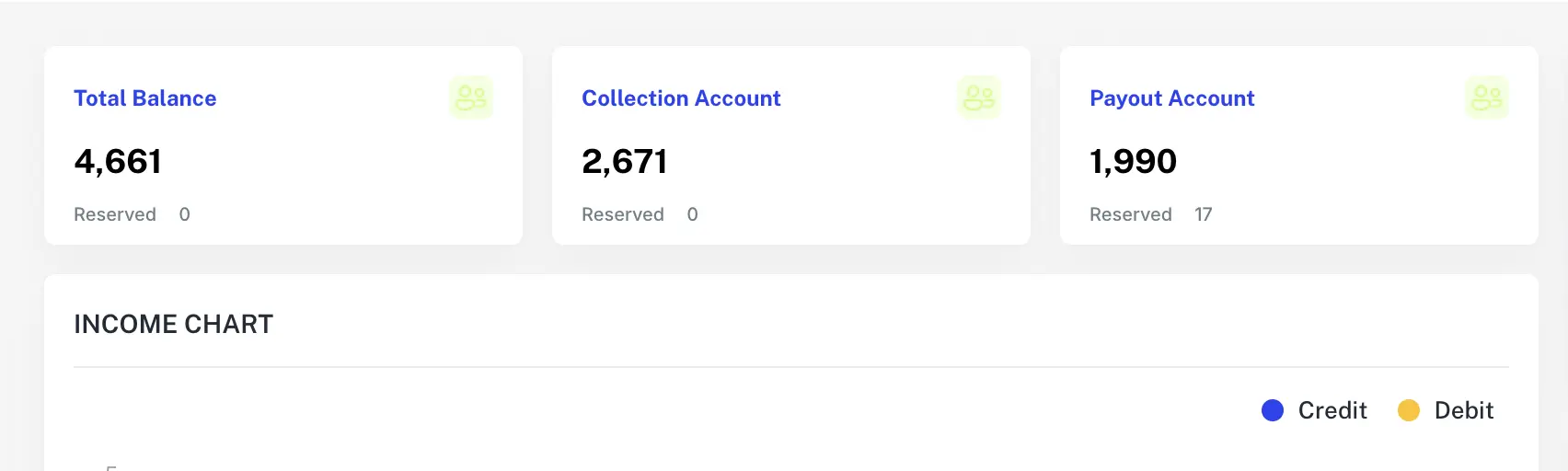
Settlements are supported for all payment methods.
1.Live Transactions Only
Only transactions made in live/production mode are eligible for settlement. Ensure that your account has been approved for settlement.
2.Requirements
- Add your Preferred Settlement Option: Provide your bank account details and choose auto or select manual (to Payout).

3.Managing your Settlements
You can access and manage all settlement data in two ways:
- Dashboard: View your settlement history, current balances, and associated transactions.
- API: Use the list settlement endpoint to programmatically retrieve settlement details.
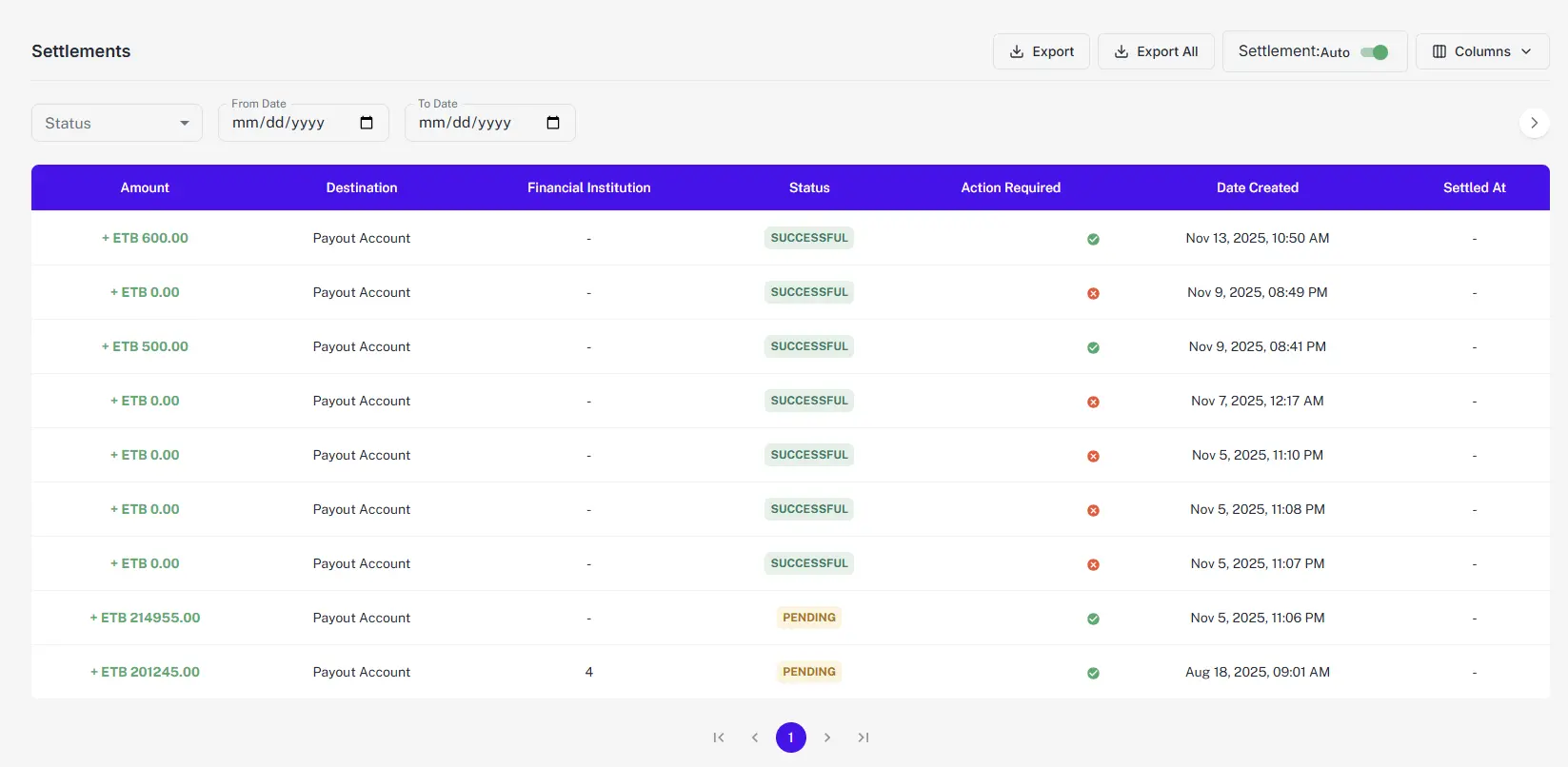
Settlement Report Details
A settlement report contains a list of transactions and other details such as:
- status: The current status of the settlement (e.g., SUCCESSFUL, PENDING).
- destination: Where the funds were sent (e.g., bank account or Payout account).
- Settlement Timestamp: The exact time the settlement was processed.